Your NFC plate user guide
Everything you need for your plate or stand to collect reviews from day one.
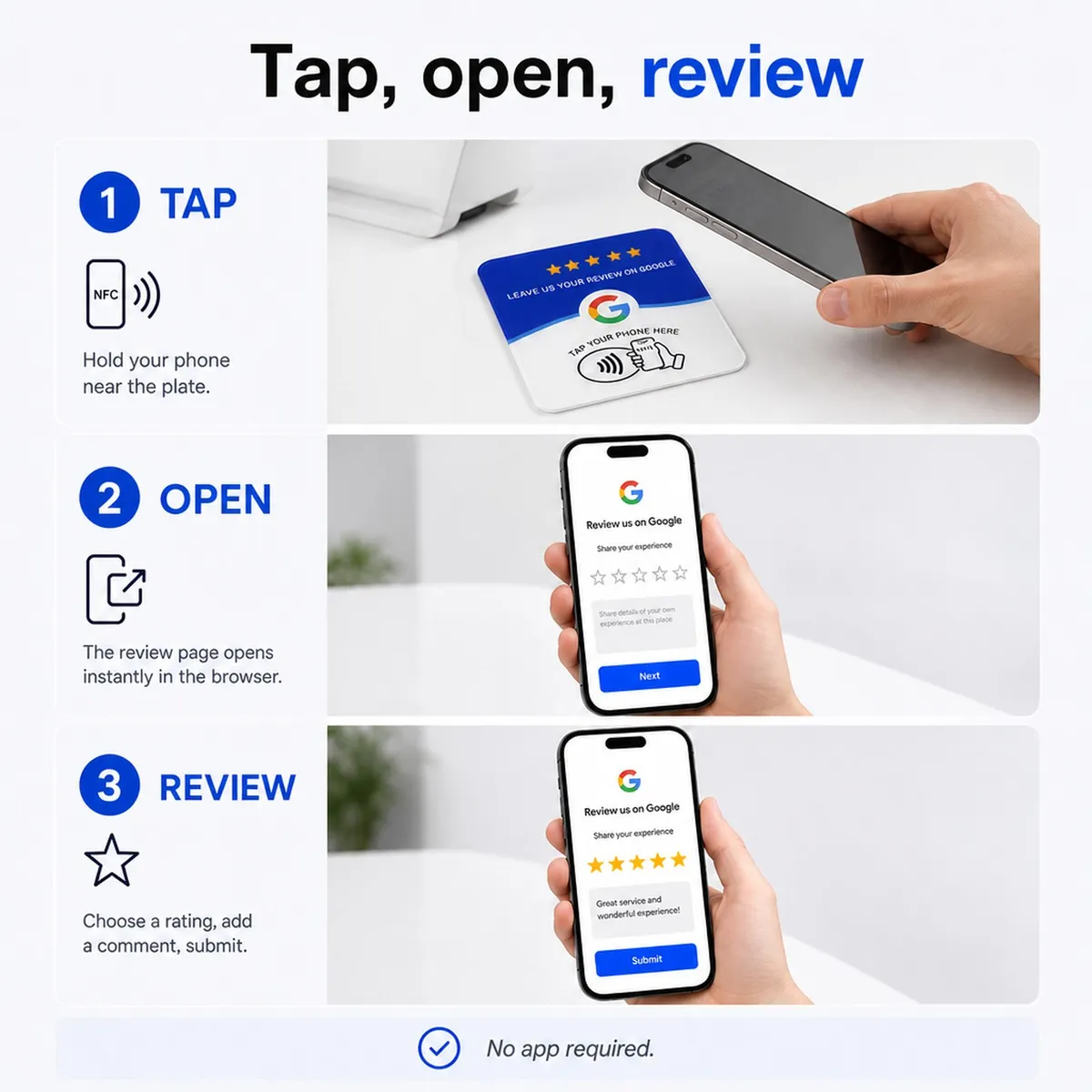
1. Program it as you unpack it
Plate without QR or stand: the chip ships blank (unless you asked us to encode it). Install the free NFC Tools app, tap Write > Add a record > URL, paste your link (your Google review page, your website...), then Write and hold your phone to the centre of the piece. Done.
Plate + QR: tap it or scan the QR. The first time, a page asks you to pick your Google listing (type your business name) or paste an https address. Confirm: it is live.
Nothing happens? Check that NFC is enabled (Android: Settings, Connections) and remove any metal case.
2. Test it
Tap again: your business's Google review page opens directly. This is what your customers will see.
3. Pick the right spot
The best place is where the customer waits a few seconds: the counter at payment time, the restaurant table, the reception desk, the till. Plate: clean the surface, peel the adhesive film and press for 10 seconds. Stand: place it, that is all.
Avoid direct metal surfaces (they weaken the NFC signal): put the piece on a base, a display or a wall.
4. The gesture that makes the difference
A piece alone collects reviews. A piece presented by your team collects five times more. The script that works: "If everything went well, a Google review helps us a lot: hold your phone here, it takes ten seconds."
Only offer the piece to real customers, with no incentive: that is Google's rule, and it is what makes your reviews credible.
5. Change the link destination
Plate without QR or stand: simply reprogram the chip with NFC Tools, as often as you like.
Plate + QR: email contact@saphek.com with the plate code, the new destination is live the same day, without touching the printed QR.
6. Track results
Every tap is counted. The batch buyer receives an email on the first real use, then when a piece reaches 20 uses. To know your numbers at any time, write to us.